
The AgriFlock 360 mobile app

    Your farm.
    Your expertise.
    One app.

    Manage your flock or bring professional support to farmers. Download AgriFlock 360 and choose the role that fits your work.

    Android

    Google Play

    Install the app directly from Google Play.

    Get it on Google Play (opens in a new tab)
    Scan with your phone
    QR code to open AgriFlock 360 on Google Play
    Open your phone’s camera and scan to continue on Google Play.

    iPhone & iPad

    TestFlight beta

    Install TestFlight, then join the AgriFlock 360 beta.

    Join on TestFlight (opens in a new tab)
    Scan with your phone
    QR code to open AgriFlock 360 on TestFlight
    Open your phone’s camera and scan to continue on TestFlight.

    Farmer plans include a 60-day free trial. View plans

    One download. Two ways to grow.
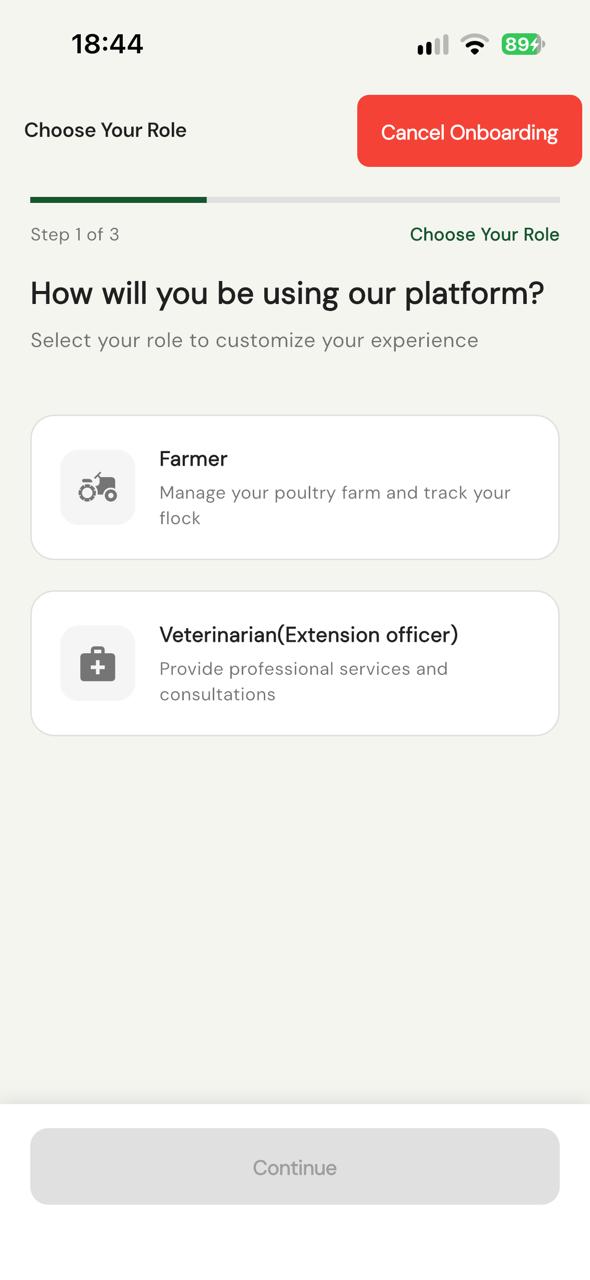
    AgriFlock 360 signup screen offering Farmer and Veterinarian (Extension officer) roles
    Choose your role when you sign up.
    Both modules are in the same app.

    After installing

    Start with your role.

    Choose the module that matches what you do. Here’s what happens next.

    For poultry farmers

    Manage your farm.

    Keep feeding, vaccinations, records and planning together as your flock grows.

    1. Choose Farmer

      Select the Farmer module when you create your account.

    2. Pick your plan

      Choose a plan for your flock size and start your 60-day free trial.

    3. Set up your farm

      Add your farm and flock details, then start recording your daily work.

    All farmer plans include vaccination tracking, feeding guidance, marketplace access and quotations.

    Compare farmer plans

    For vets & extension officers

    Put your expertise to work.

    Apply to offer consultations and professional services to poultry farmers.

    1. Choose the vet module

      Select Veterinarian (Extension officer) during signup.

    2. Accept the terms

      Read and accept the Terms & Conditions and Code of Conduct.

    3. Submit your application

      Provide your personal and professional details, and upload your qualification documents.

    4. Wait for approval

      Your application must be reviewed and approved before you can provide services.

    View service rates & earnings

    Getting started, made clear

    A little help
    before you begin.

    Explore the tools inside AgriFlock 360 before setting up your account.

    Explore app features
    Do farmers and extension officers use the same app?

    Yes. Download AgriFlock 360, then choose Farmer or Veterinarian (Extension officer) during signup. Each role has its own module within the app.

    How do I install on an iPhone or iPad?

    Use the Join on TestFlight button above. Install Apple’s TestFlight app if prompted, open the AgriFlock 360 invitation on your device, then accept the invitation and install the beta app.

    How do I use a download QR code?

    Open your phone’s camera, point it at the code and tap the link that appears. The Android code opens Google Play; the iPhone and iPad code opens the TestFlight invitation. If you are already on your phone, use the download button instead.

    Can I start providing services as soon as I sign up?

    Vets and extension officers must accept the terms, submit their details and qualification documents, and wait for approval before offering services.

    We’re here to help

    Need a hand getting started?

    Our team can help with installation, choosing your module and the next steps.

    Contact the Team